Quick summary
Disaster recovery planning is essential to keep your business working when something goes wrong. That ranges from an internet outage, a cyberattack, a hardware failure, a bad software update, a natural disaster, or a simple human mistake.
Here’s what every business should know:
- A disaster recovery plan explains how your business will restore critical systems after an outage or disruption.
- Business continuity planning focuses on keeping work moving while recovery happens.
- Common risks include power outages, cyberattacks, equipment failures, software errors, weather events, and accidental data loss.
- A strong plan should include backups, communication steps, recovery goals, failover options, vendor contacts, and regular testing.
Disaster Recovery Planning Is Not Just an IT Problem
Disaster recovery planning is the process of deciding how your business will respond when technology, data, communications, or connectivity stop working the way they should. The quicker you can recover, the quicker you can start helping customers again. Your planning helps to answer the simple but important questions:
- What systems matter most?
- How fast do we need them back?
- Who handles what?
- How do we keep customers informed?
- How do we avoid making the problem worse?
A disaster recovery plan doesn’t prevent every problem. Nothing does. But it gives your team a clear path when pressure is high and time matters to get you up and going again.
A Simple Use Case: The Office That Lost Connection
Let’s go a bit deeper and put this into a real scenario that hopefully hits home. Now, you’re a small professional services firm that depends on cloud software, VoIP phones, email, video meetings, and shared files.
One afternoon, the primary Internet connection fails, and after a few minutes it’s still out. What now?
Without a plan, the day quickly turns into quite the mess. Client calls are missed, both scheduled and unscheduled. Employees lose access to files. The front desk has no clear message for customers. The owner is calling vendors, the IT manager is troubleshooting, and no one knows when work will be back to normal. Everyone is trying their best, but things are falling through the cracks.
Now imagine that the same business has a disaster recovery strategy.
They know which systems are most important and have planned for how they will stay accessible. Their phones can automatically fail over to a secondary connection. Their team knows who to call. Data is backed up. Customers get a clear update. Critical apps come back first. The business still has an issue that afternoon, but it doesn’t become a lost week.
The point of disaster recovery planning is to reduce the inevitable panic and allow you to rely on a well-defined process to get through it.
Common Business Risks That Can Disrupt Operations
Most outages don’t announce their arrival. Some are loud and obvious. Others start small and spread fast.
Risk | What It Can Affect | Why It Matters |
Internet outage | Phones, cloud apps, payments, remote work | Teams can’t serve customers or access key tools |
Cyberattack | Data, systems, email, customer trust | Operations may completely stop while security issues are handled |
Hardware failure | Servers, phones, routers, switches | One failed device can slow or stop business activity |
Software error | Apps, files, workflows | A bad update or misconfiguration can disrupt work |
Human mistake | Data, settings, access | Accidental deletion or setup errors can cause downtime |
Natural disaster | Office access, power, connectivity | Floods, hurricanes, tornadoes, and fires can close locations |
The biggest problem we see is that many business owners assume, “We’re too small for this to happen to us.”
But downtime doesn’t care how big your company is. A failed router, a cut fiber line, a ransomware email, or a power issue can hit a 20-person company just as easily as a 2,000-person company.
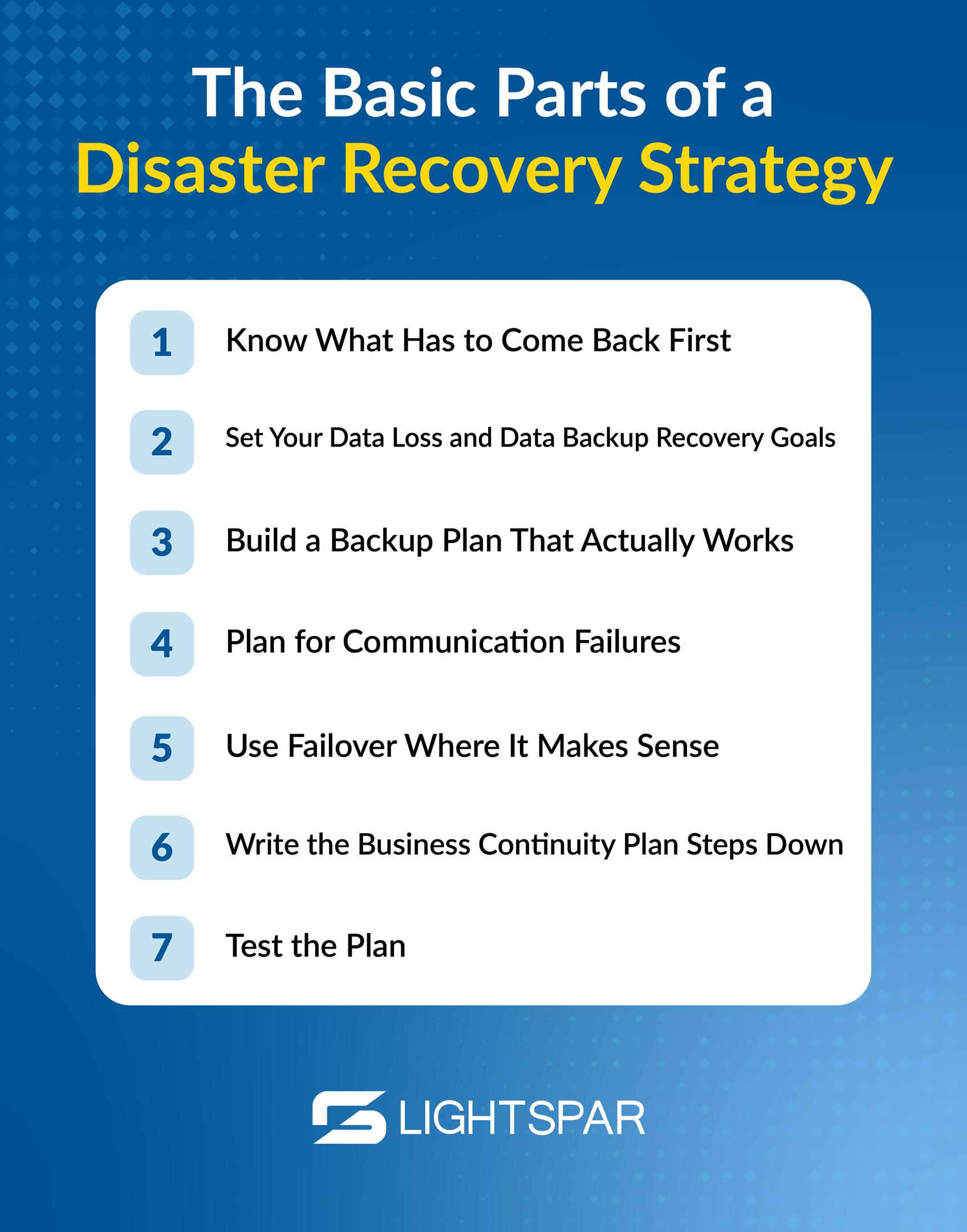
The Basic Parts of a Disaster Recovery Strategy
For businesses, you don’t need to start with a 90-page technical manual. You can start with the basics and build from there.
1. Know What Has to Come Back First
From the jump, you need to know that not every system carries the same weight.
Your payroll platform matters. So does your phone system, internet connection, customer database, payment system, shared files, email, and security tools.
A business impact analysis helps you rank these systems. In other words, it asks:
“If this area of the business goes down, what happens?”
Some tools are only annoying to lose. But others stop revenue, customer service, or operations. Those should move to the top of the recovery list.
2. Set Your Data Loss and Data Backup Recovery Goals
Two simple terms often come up in disaster recovery planning: RTO and RPO.
- Recovery Time Objective (RTO) is the maximum time your business can afford to be down before the impact becomes serious.
- Recovery Point Objective (RPO) means how much data your business can afford to lose.
Here’s the simple version:
Term | Basic Meaning | Example |
RTO | How fast do you need a system restored | “We need phones back within one hour.” |
RPO | How much data can you afford to lose | “We can only lose the last 15 minutes of work.” |
These goals help you decide what backup, failover, connectivity, and support options you need.
3. Build a Backup Plan That Actually Works
Backing up data is only one step in the process. You need to know the backup can be restored.
A strong data backup strategy should include regular backups, multiple copies, off-site or cloud storage, and routine testing. Many businesses follow the 3-2-1 rule: keep three copies of data, on two types of storage, with one copy kept off-site.
4. Plan for Communication Failures
During an outage, communication is often the first thing to break and the thing everyone needs most. Your disaster recovery plan should detail how employees, customers, vendors, and leadership will be updated.
- Who sends the message?
- What should it say?
- Where should people go for updates?
- What happens if email or phones are unavailable?
This is where reliable business communications and network services matter. If your phone system, internet access, and cloud tools all depend on one weak point, the whole business is more exposed.
5. Use Failover Where It Makes Sense
Failover means operations shift to a backup system when the primary system fails.
For example, if one connection goes down, traffic can move to another path. If a communication system has a backup route, calls can keep moving instead of hitting a dead end.
LightSpar’s networking services can support this kind of planning with private network options, Dedicated Internet Access (DIA), multi-carrier connectivity, application prioritization, security, and built-in failover. When you’re in the thick of it, recovery is much easier when your network was designed with problems in mind before they happen.
6. Write the Business Continuity Plan Steps Down
In no world should a disaster recovery plan live in one person’s head.
Create simple runbooks for critical systems. A runbook is just a written set of steps that explains what to do, who to contact, and how to restore a service.
Keep it practical. Include vendor contacts, login locations, escalation steps, backup details, communication templates, and decision-makers.
When the pressure’s on, clear instructions beat memory every time.
7. Test the Plan
A plan that has never been tested is, at best, a hope.
To be clear, testing doesn’t have to be a dramatic exercise, either. Walk through a few scenarios with your team:
- What happens if the internet goes down?
- What happens if email is unavailable?
- What happens if a key file system cannot be accessed?
- What happens if the office closes due to weather?
Testing helps you find gaps while there is still time to hammer out a fix.
“We Already Have IT Support. Isn’t That Enough?”
IT support is important. But support and planning are not the same thing.
Support helps when something breaks. Disaster recovery planning decides what should happen before, during, and after the break. Support is part of the plan, not the whole plan, because it’s not just about fixing a device; it’s about keeping the business moving.
That is why many companies work with a partner like LightSpar. Instead of managing separate providers for internet, communications, networking, and support, businesses can work with a single team that understands how these components connect.

Before the Next Outage, Ask Better Questions
Disaster recovery planning doesn’t have to be scary. In fact, it should bring you a sense of relief because you have a plan for when the unexpected occurs. It’s a vital addition to running your business.
Before you do anything, a roundtable discovery session is needed to identify the most vulnerable areas of the business. Ask questions like:
- What would stop us from serving customers?
- What systems do we need back first?
- How long can we be down?
- How much data can we afford to lose?
- Who do we call?
- How do we communicate?
- Have we tested any of this?
If those answers are unclear, now is the time to fix that. Not during the outage. Not after customers start calling. Not when your team is already frustrated.
You don’t need to go about this alone, though, because LightSpar helps businesses review their connectivity, communications, and recovery needs before problems turn into bigger disruptions. If your disaster recovery plan needs a second look, reach out to the LightSpar team to talk through your current setup and where your business may be exposed.